PRIMED NETWORK / MEDIA ROOM
Press & Media
Resources
Everything you need to review, write about or feature Primed Network. The Mac app that makes Wi-Fi visible.
Media edition: September 2026. Original artwork and reusable copy.
READY TO USE
Choose what
you need.
Media guide
A five-page introduction, facts, review workflow and media guidance.
Complete media kit
5 full-resolution app captures, 6 App Store images, 8 logo files, the founder photograph, media guide and reusable text.
Logo collection
Eight original PNG and SVG files, with light, dark and transparent variants.
App screenshots
Five full-resolution Mac app captures, without promotional headings.
App Store artwork
Six supplied campaign images with App Store headlines and compositions.
THE PRODUCT
Clarity for
your wireless world.
- Platform
- macOS
- Availability
- Mac App Store
- Business model
- One-time purchase
- App subscription
- None
- Launch
- June 2026
- Website
- beprimed.ai/network
- Category
- Networking Utilities
Check the Mac App Store for the current price and requirements in your region. Optional AI services may have their own charges.
Short description
Primed Network is a macOS Wi-Fi survey application that turns wireless measurements into coverage maps, health scores and plain-English recommendations. Users can import a floor plan, survey their space, explore coverage in 3D and compare results over time. Its Living Digital Twin brings saved observations together to help explain how a network changes. Optional MCP integration connects compatible AI assistants to survey findings. Primed Network is a one-time purchase with no app subscription; optional AI services may have their own plans and charges.
Long description
Wi-Fi problems are often hard to see. Primed Network helps people understand their wireless environment through measurements, visual coverage maps and explanations of what to investigate next.
Import a floor plan or sketch your space, then walk through it while capturing real signal measurements. Review coverage room by room, inspect network health and explore the building in 3D. Maps and recommendations depend on the measurements, calibration and network information available.
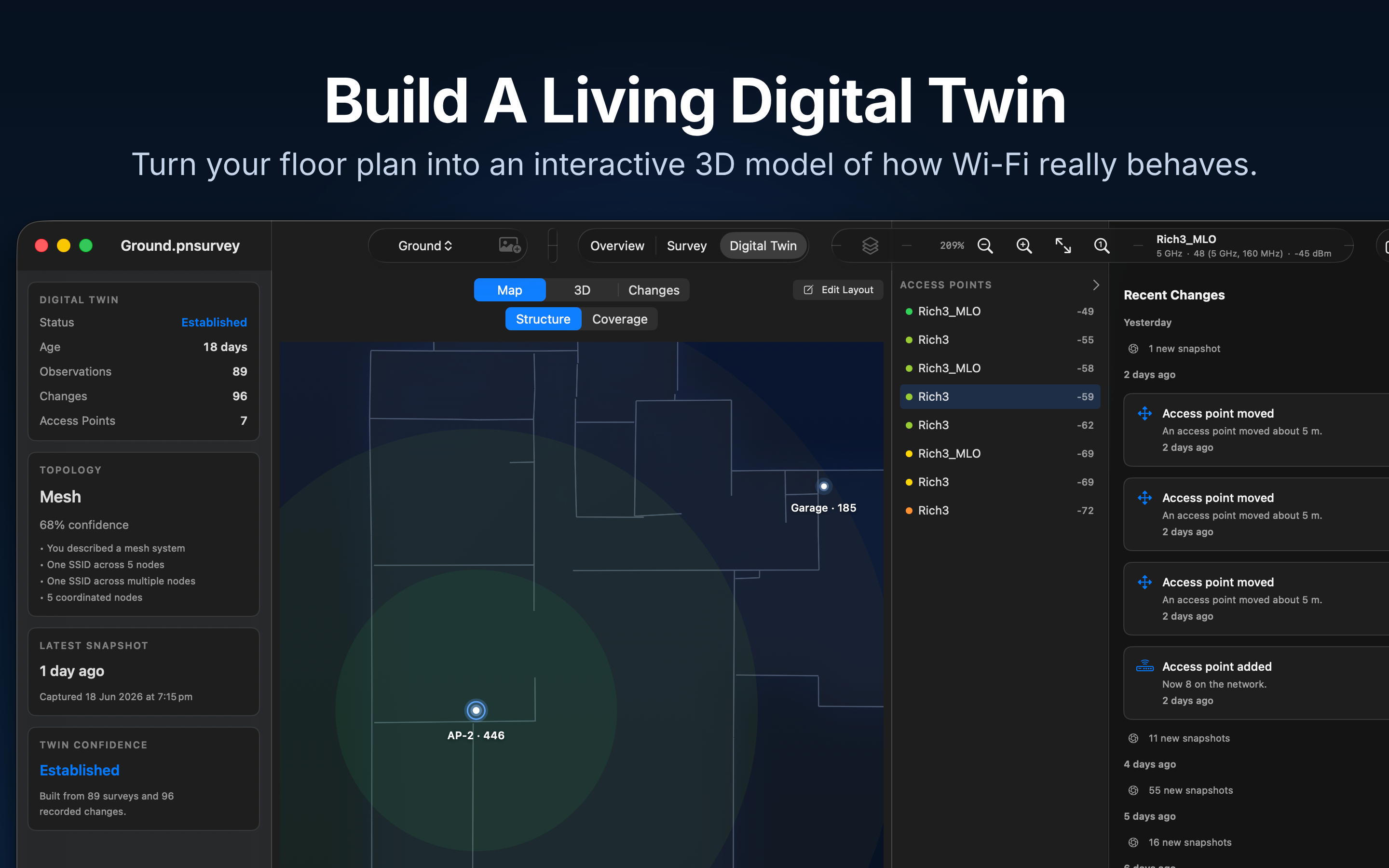
The Living Digital Twin brings observations and history together. Compare surveys and saved snapshots, review changes in the network environment, and check whether a measured adjustment improved the result. It provides evidence from observations, not a guarantee of a particular network outcome.
Optional MCP integration lets a compatible assistant work with survey findings. The connection helper runs locally, but a cloud assistant may send shared data to its provider. Client support, privacy settings and any AI service charges depend on the chosen provider. Primed Network works without AI.
Built natively for macOS, Primed Network supports multiple floors and exports maps, measurement data and PDF reports. It is designed for home users, small businesses, installers and consultants. The app uses a one-time purchase model; current regional pricing is shown by the Mac App Store.
CAPABILITIES
Key Features
Floor Plan Surveys
Import or sketch a plan and capture measurements through the space.
Coverage Heatmaps
See measured signal strength room by room.
Network Health Scores
Review a health score, findings and recommendations.
Living Digital Twin
Bring saved observations and network history together.
Historical Comparisons
Compare surveys and snapshots to see what changed.
Network Change Tracking
Review changes recorded from network observations.
Built-in PDF Reports
Choose report sections and export a shareable PDF.
Optional MCP Integration
Connect compatible assistants to survey findings.
macOS Native Experience
Designed and built natively for the Mac.
One-Time Purchase
No app subscription. Optional AI services have their own terms.
FOR REVIEWERS
Measure.
Understand. Verify.
- 01
Prepare the space
Import a floor plan or sketch your layout. Set the scale and floors for the area you want to survey.
- 02
Capture real measurements
Walk through the property and record measurements at useful locations. The result depends on where and how you measure.
- 03
Review the findings
Inspect coverage, network health and the 3D view. Look at the evidence and confidence behind a recommendation.
- 04
Compare and verify
After making a change, collect another survey or snapshot. Compare the observed results and export a report if useful.
INSIDE PRIMED NETWORK
Screenshots
Original app captures, shown without cropping. Open an image to inspect it at full resolution.
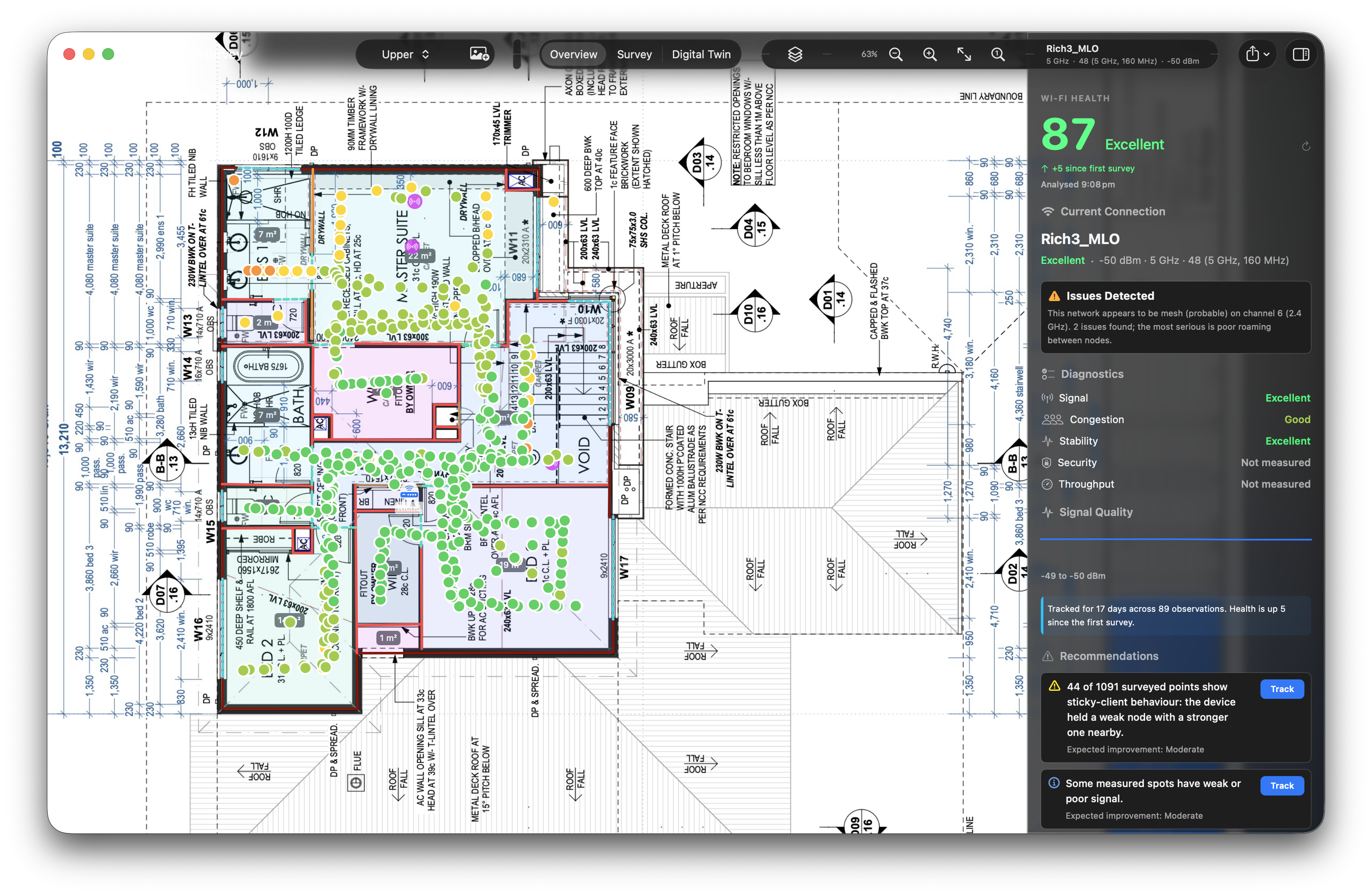
Cover
Survey coverage and network health together in the Mac app.
Coverage
A coverage field over the surveyed floor plan.
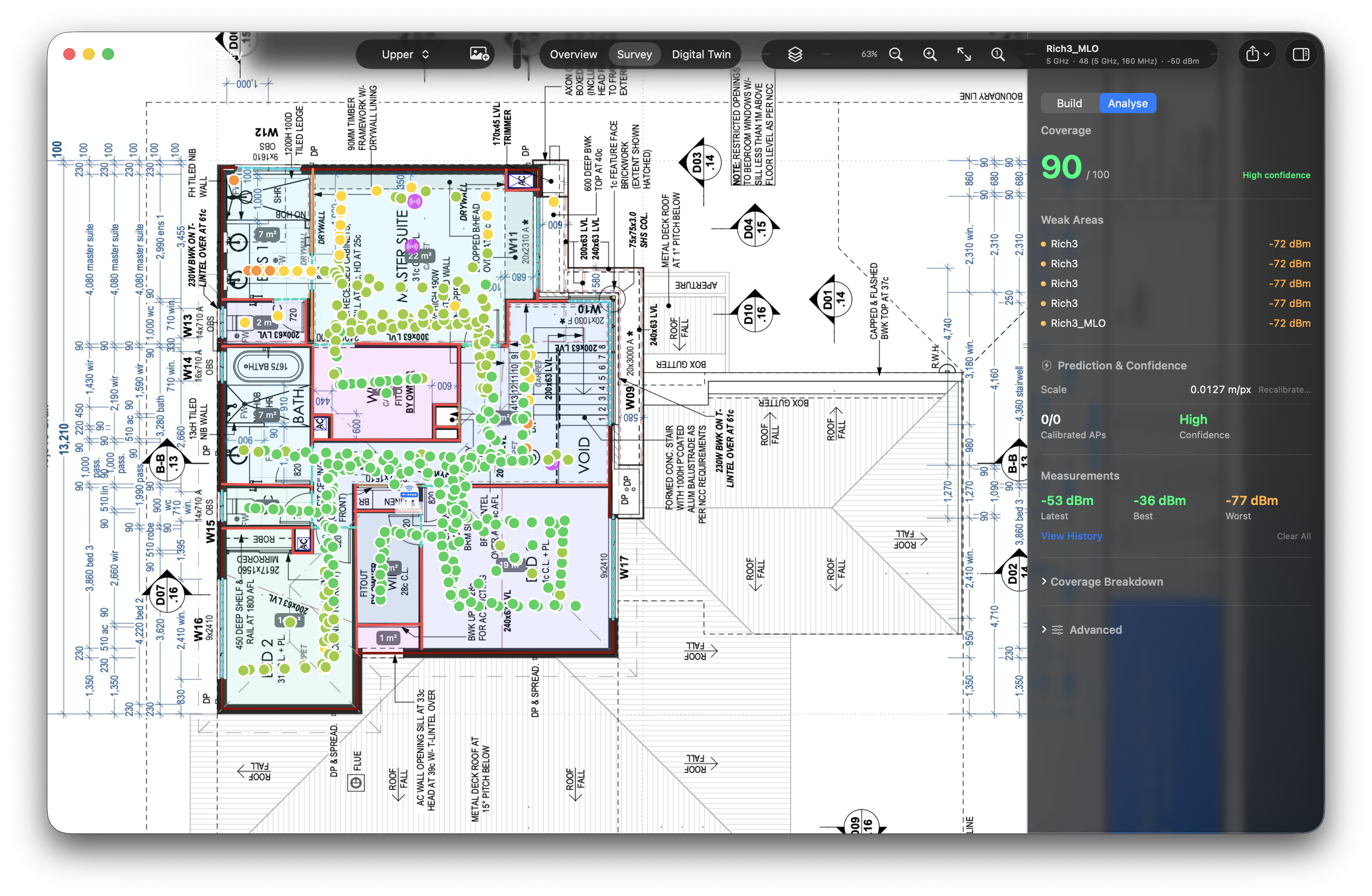
Workflow
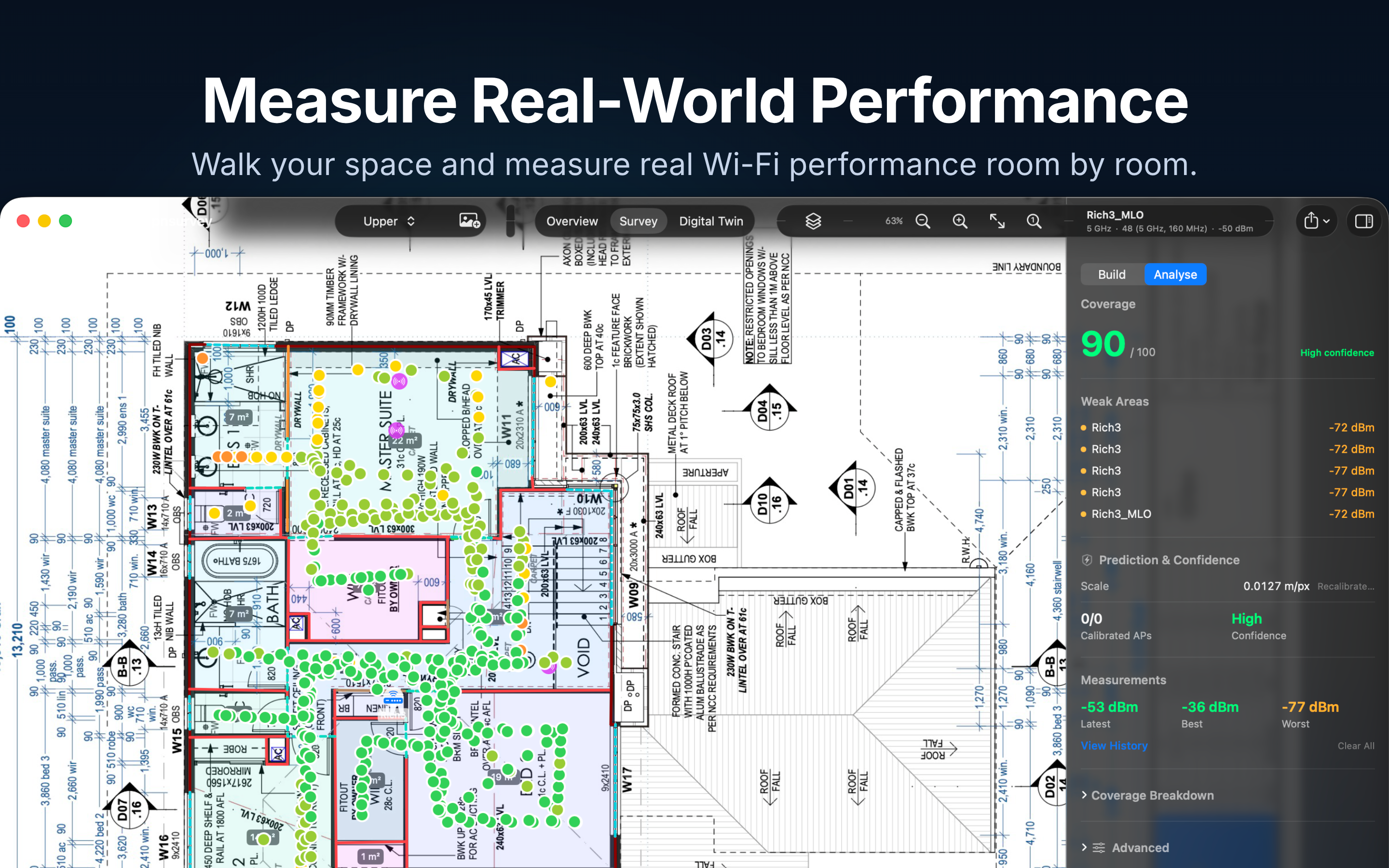
Captured survey points, signal coverage and the measurement inspector.
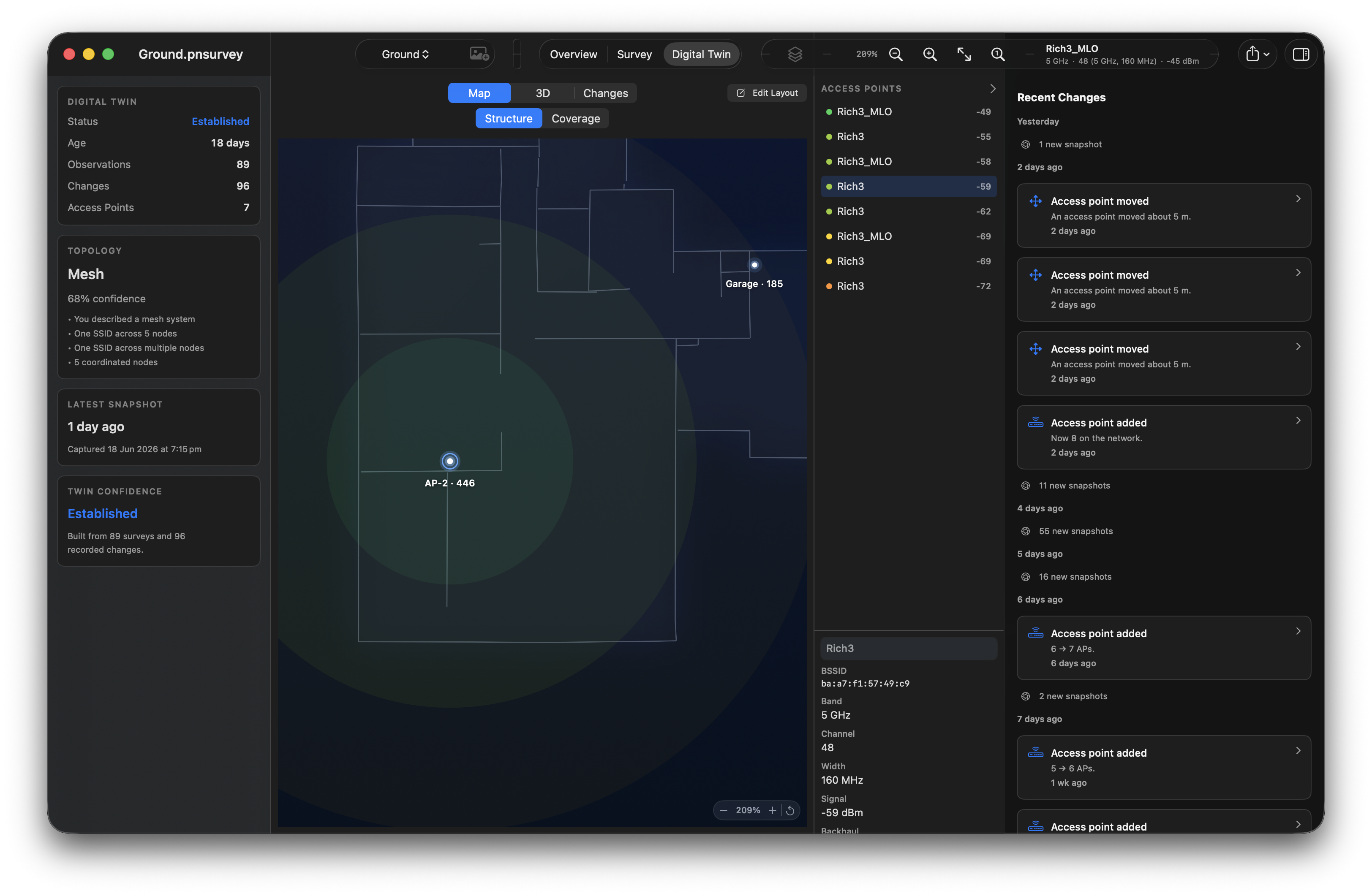
Digital Twin Structure
The building layout and network observations in the Digital Twin workspace.
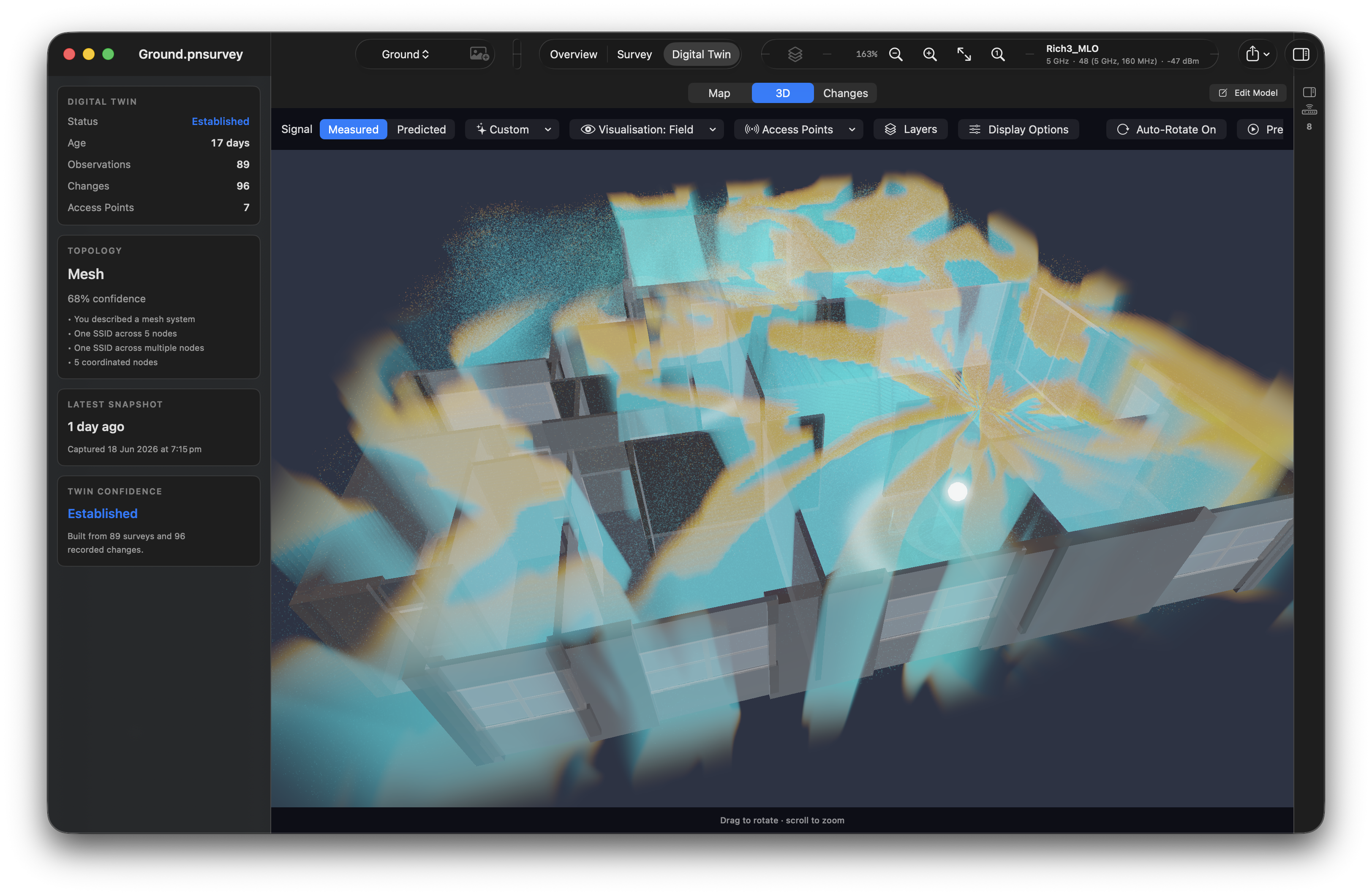
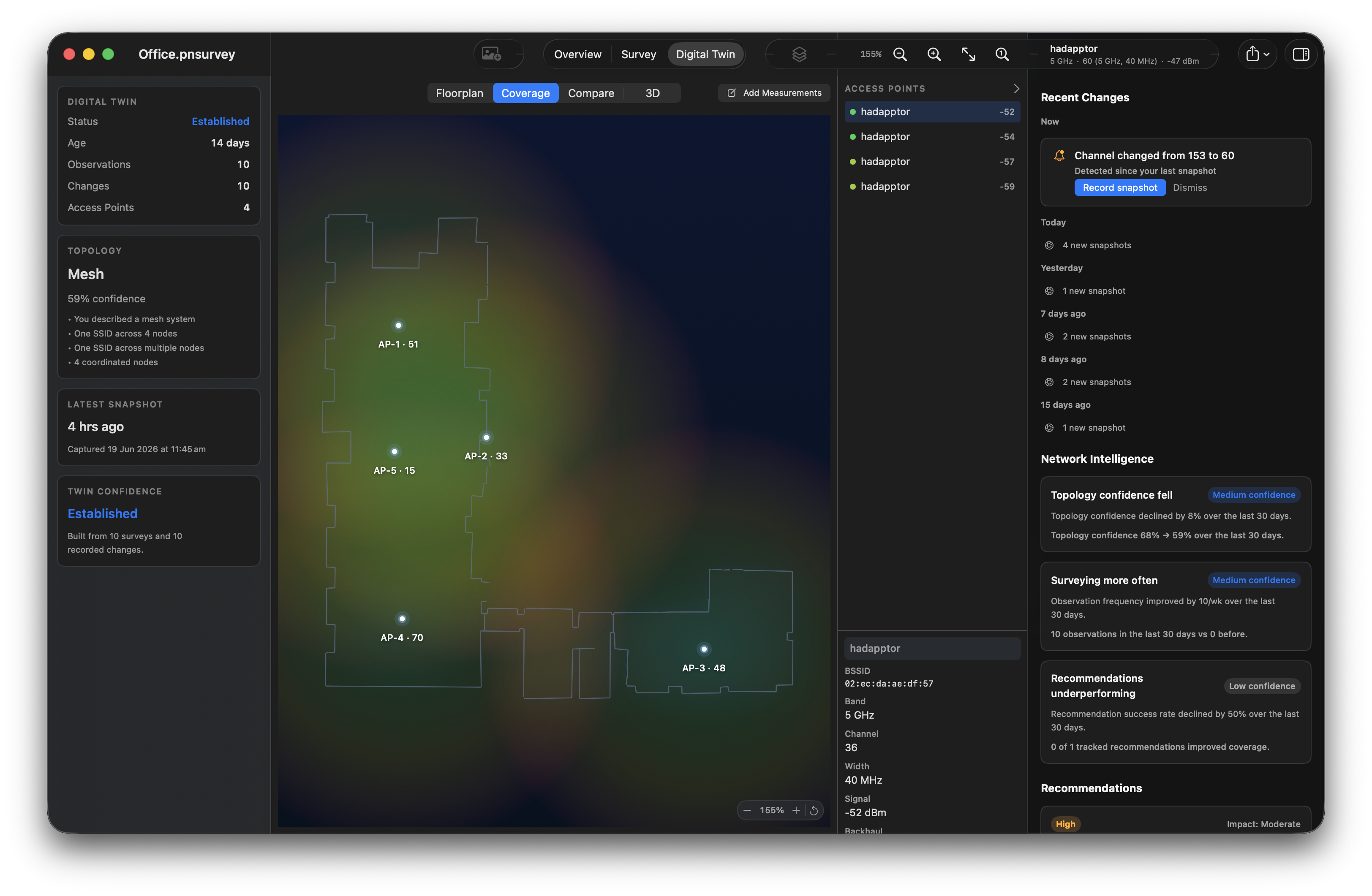
Digital Twin Coverage
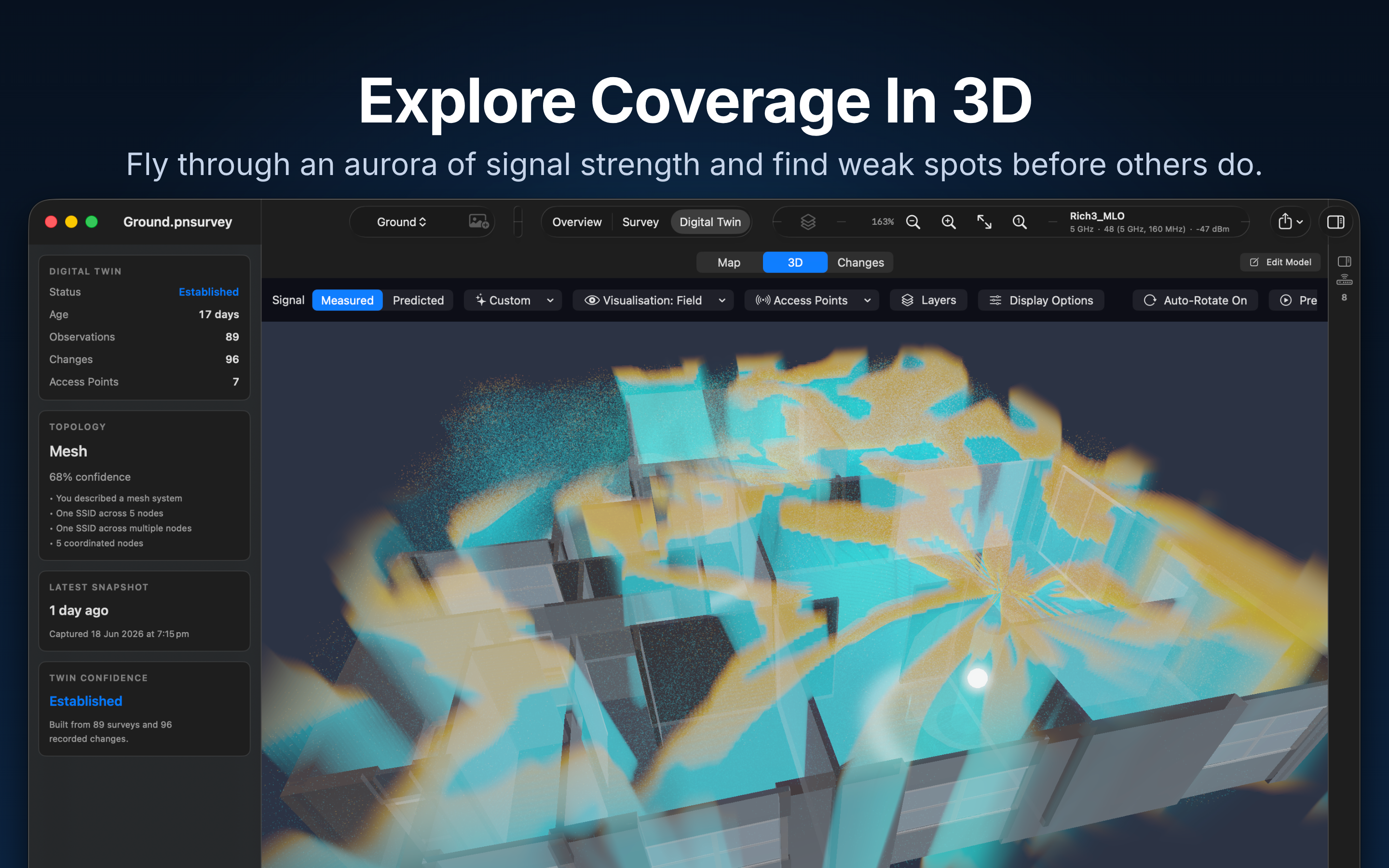
Signal coverage visualised around the building model in 3D.
THE NETWORK IDENTITY
Logos
Use the supplied purple Network mark, with the appearance that suits your background.



Using the assets
Use these assets to identify Primed Network when covering or reviewing the product. Keep its purple Network identity distinct from the Primed endurance app.
Keep logo proportions and colours intact. Use the supplied light, dark or transparent variant for the background; do not redraw the mark.
Screenshots and App Store artwork show example app states. Preserve the interface content and do not present the pictured scores as promised results.
The portrait shows Richard Giles, founder of Primed Technologies. Contact media@beprimed.ai for photo credit requirements, different crops or additional artwork.
CAMPAIGN IMAGES
App Store artwork
Supplied compositions with promotional headings, kept separate from the app captures.
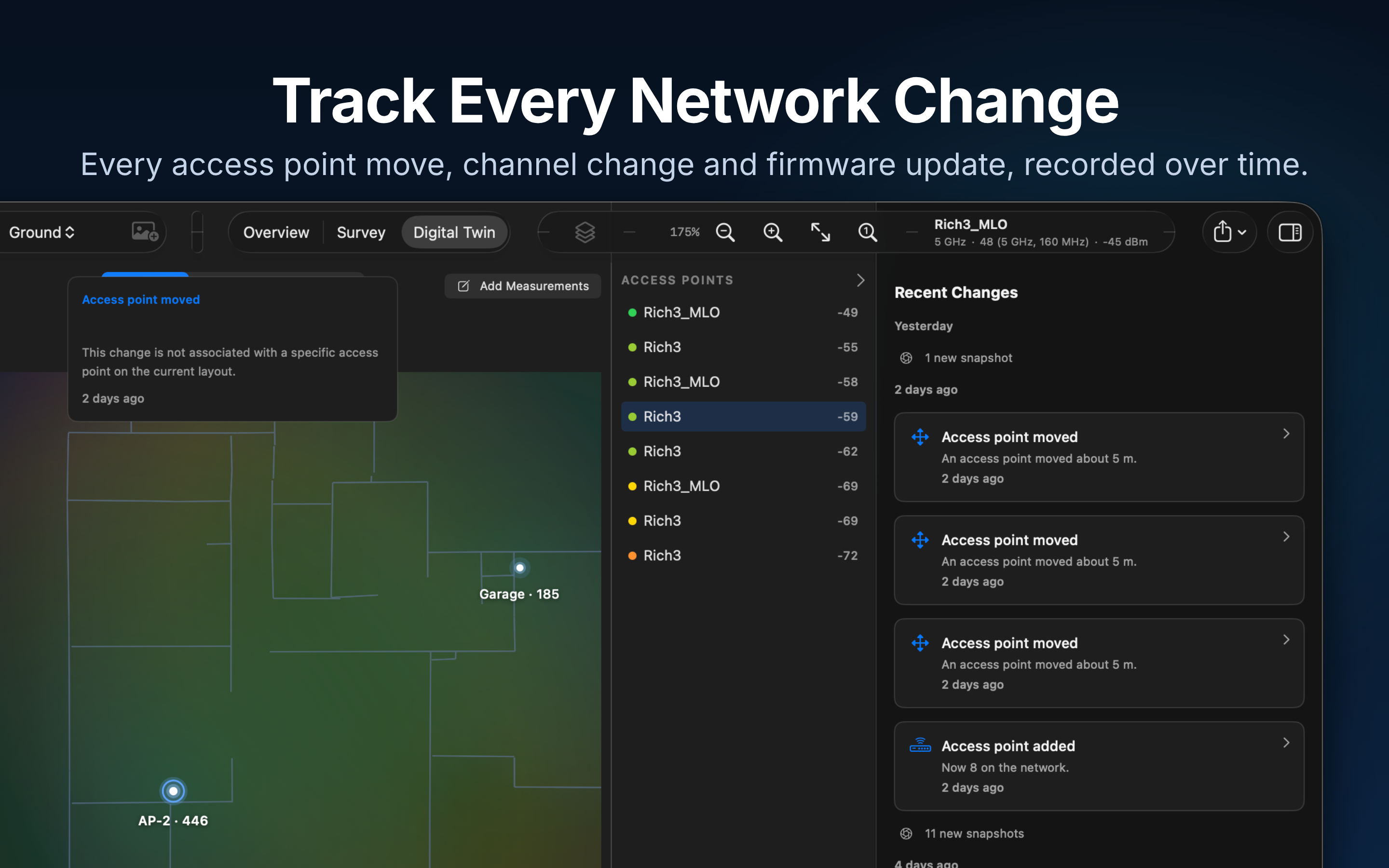
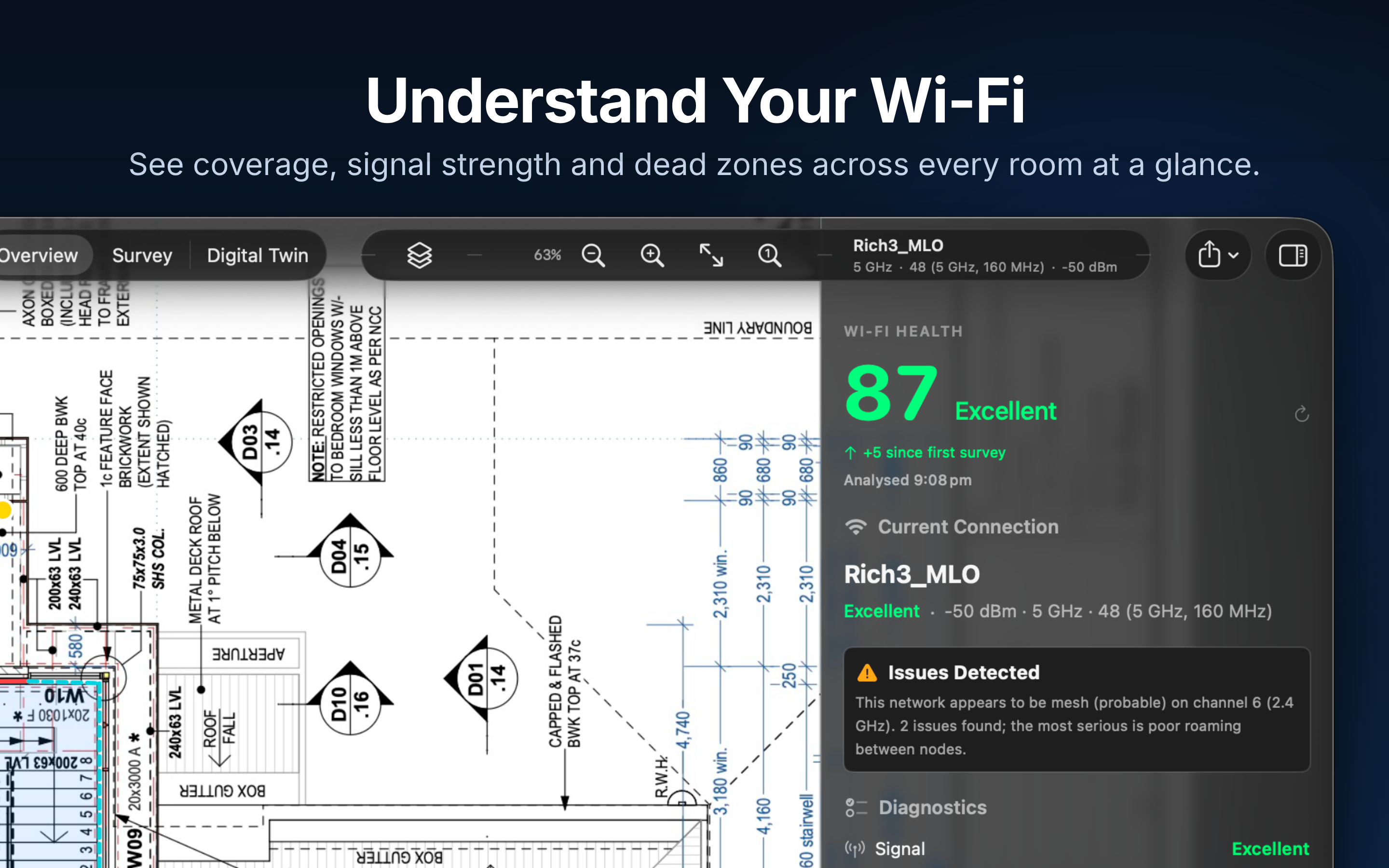
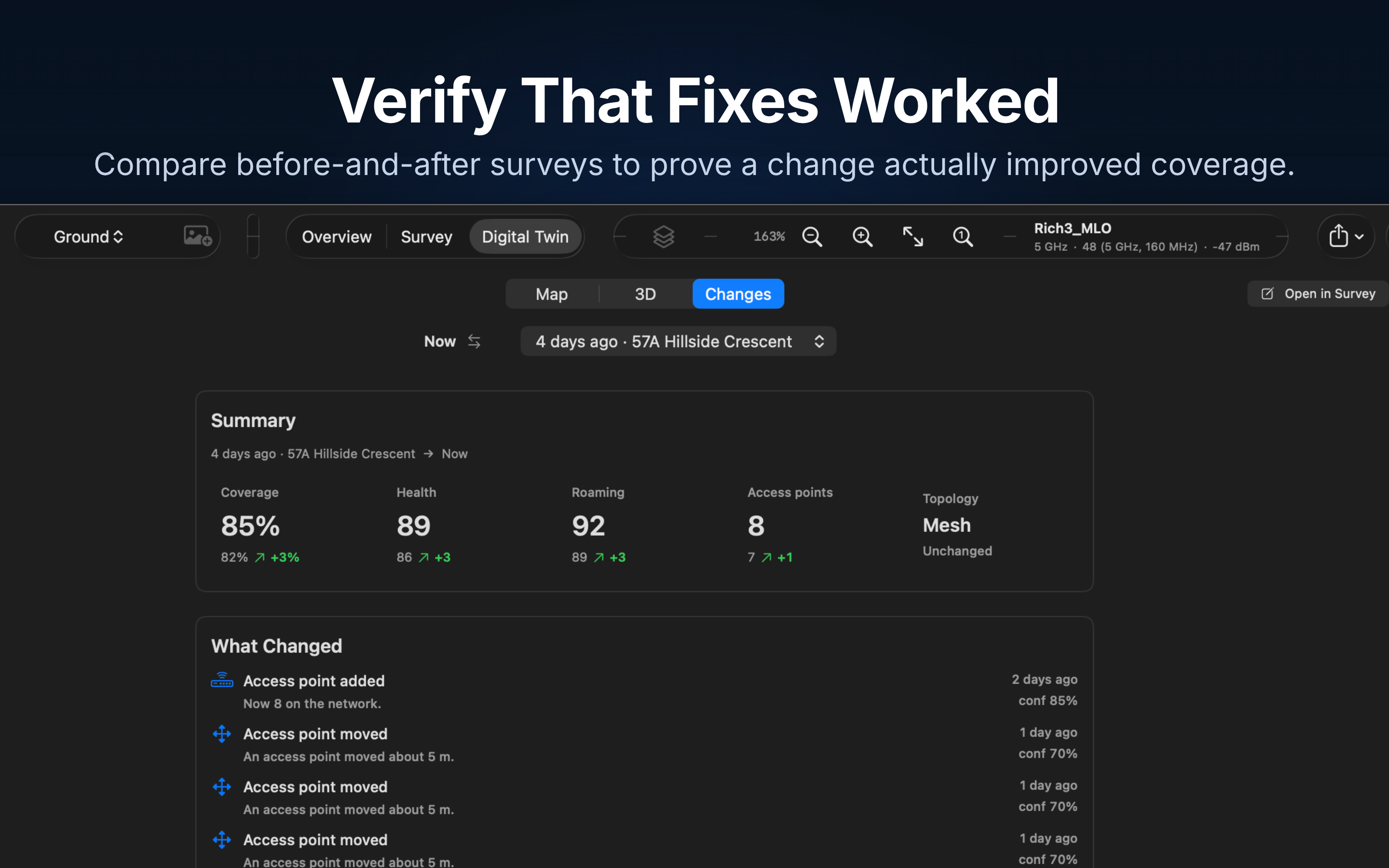









Short biography
Richard Giles is the founder of Primed Technologies and CEO of Adapptor, a mobile and software studio he has led for over 15 years. He has spent his career building products across the mobile and software industry, with a consistent focus on making complex technology accessible. Primed Network grew out of that focus: a tool that gives anyone clear answers about their Wi-Fi, without demanding networking expertise.
Full biography
Richard Giles is the founder of Primed Technologies and the CEO of Adapptor, a Perth-based mobile and software development studio. Across more than 15 years leading Adapptor, he has overseen the design and delivery of software products for clients ranging from start-ups to large enterprises, spanning consumer apps, complex data platforms and connected hardware.
Throughout that work, one theme has stayed constant: technology should be understandable. Richard has repeatedly seen powerful tools fail not because they lacked capability, but because they overwhelmed the people who needed them. That conviction, that complexity should be translated rather than exposed, sits at the heart of everything he builds.
Primed Network is a direct expression of that philosophy. Frustrated that Wi-Fi tools either oversimplified to the point of uselessness or buried users in jargon, Richard set out to create an application that turns raw wireless measurements into clear, visual answers. It pairs professional-grade analysis with an interface anyone can follow, and introduces a Living Digital Twin that reveals how a network behaves over time rather than in a single snapshot.
His vision for Primed Network is simple: make Wi-Fi analysis something people can actually use. By combining careful measurement, thoughtful visualisation and plain-English guidance, he aims to give homeowners, small businesses and professionals alike the confidence to understand, improve and verify their wireless networks, with no networking background required.
GET IN TOUCH
Media Contact
For review requests, interviews, screenshots, promotional codes and additional information.
Richard Giles
media@beprimed.aiEverything in one place.
Take the guide and original assets with you.