PRIMED · A WAY OF TRAINING
Put your effort
in perspective.
The work you put in deserves a clearer picture. Connect your training, recovery and everyday decisions with a coach that helps you see what comes next.

01 — Understand
See the work.
See the pattern.
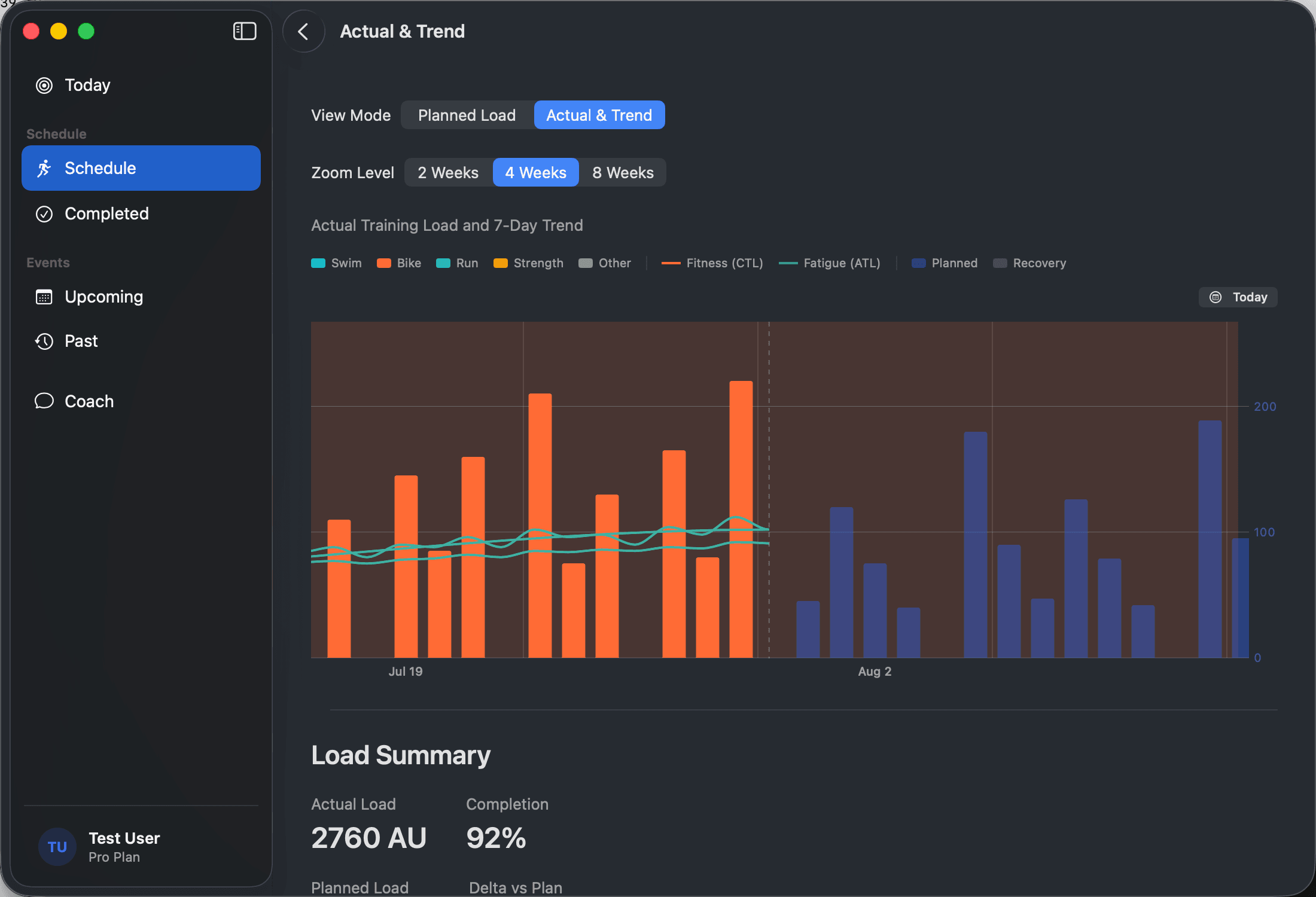
One session is part of a longer story. See completed work, planned load and your fitness trend together, so you can make sense of the weeks around today.
A single training load number means little in isolation. Primed evaluates your Chronic Training Load (fitness), Acute Training Load (fatigue), and Training Stress Balance (form) alongside your recovery signals. This context helps you understand whether weekly load is building sustainably, whether ramp rates are safe, and when to ease back before fatigue turns into overtraining.
- Completed and planned training in context
- Fitness and fatigue trends over time
- A clearer view across your sports
- Clear guidance on interpreting training load numbers
02 — Decide
Start today with
a clear intention.
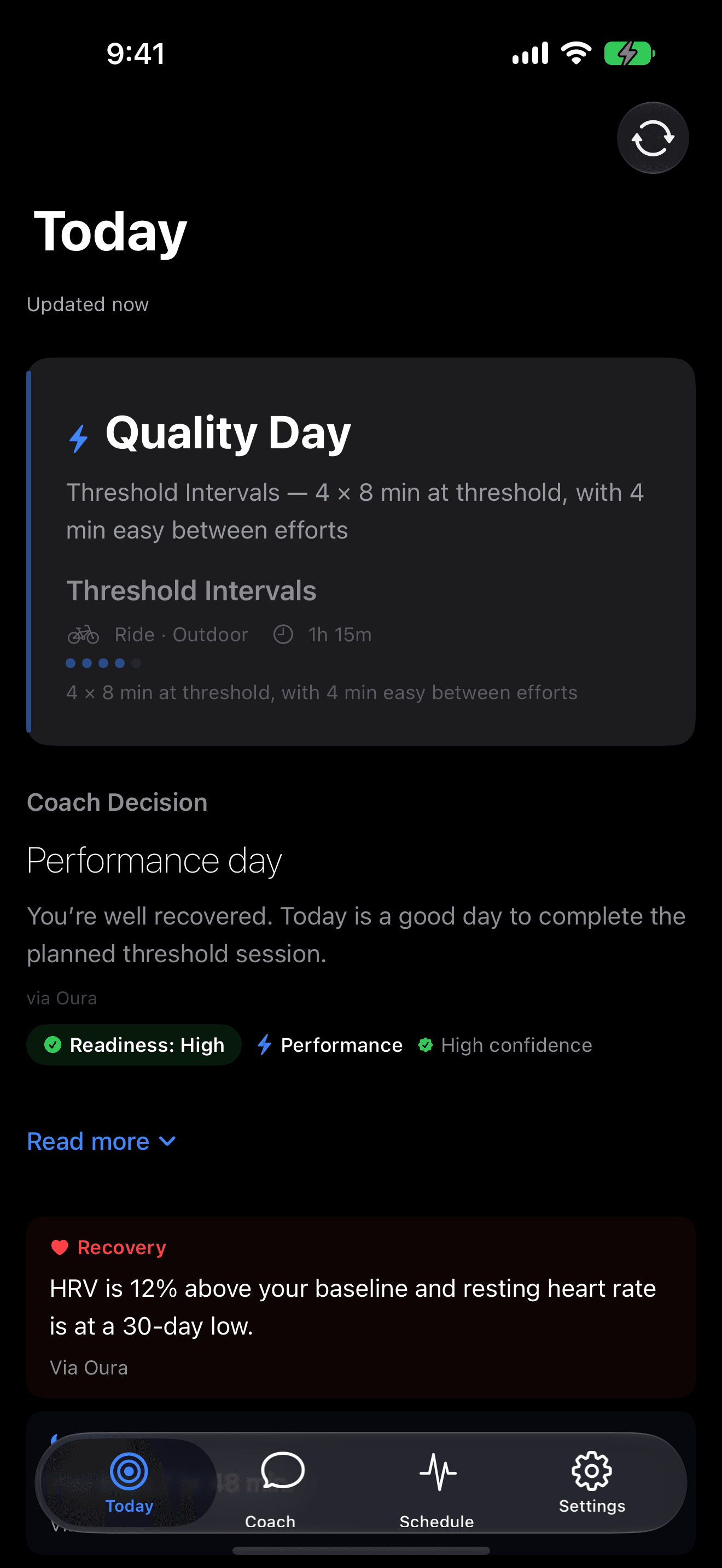
Open Primed to a session recommendation with its purpose in view. Understand what the day is asking of you before you head out.
Readiness scoring is a decision input, not a magic single-number truth. Primed presents your Daily Coaching Decision with 70% visual focus on your primary move, accompanied by strict execution boundaries (duration, intensity ceiling, terrain, and effort). Lock Screen, Home Screen, and StandBy widgets let you glance at today's recommendation before you get out of bed. Transparent green, amber, and red states reflect physiological baselines without locking you out, explaining the coaching rationale so you can train with intent.
- A clear primary workout recommendation for today
- Explicit execution boundaries: duration, intensity ceiling, terrain, and effort
- Lock Screen, Home Screen, and StandBy widgets for instant glanceability
- Transparent green, amber, and red readiness guidance with visible reasoning
03 — Recover
Make room for
how you feel.
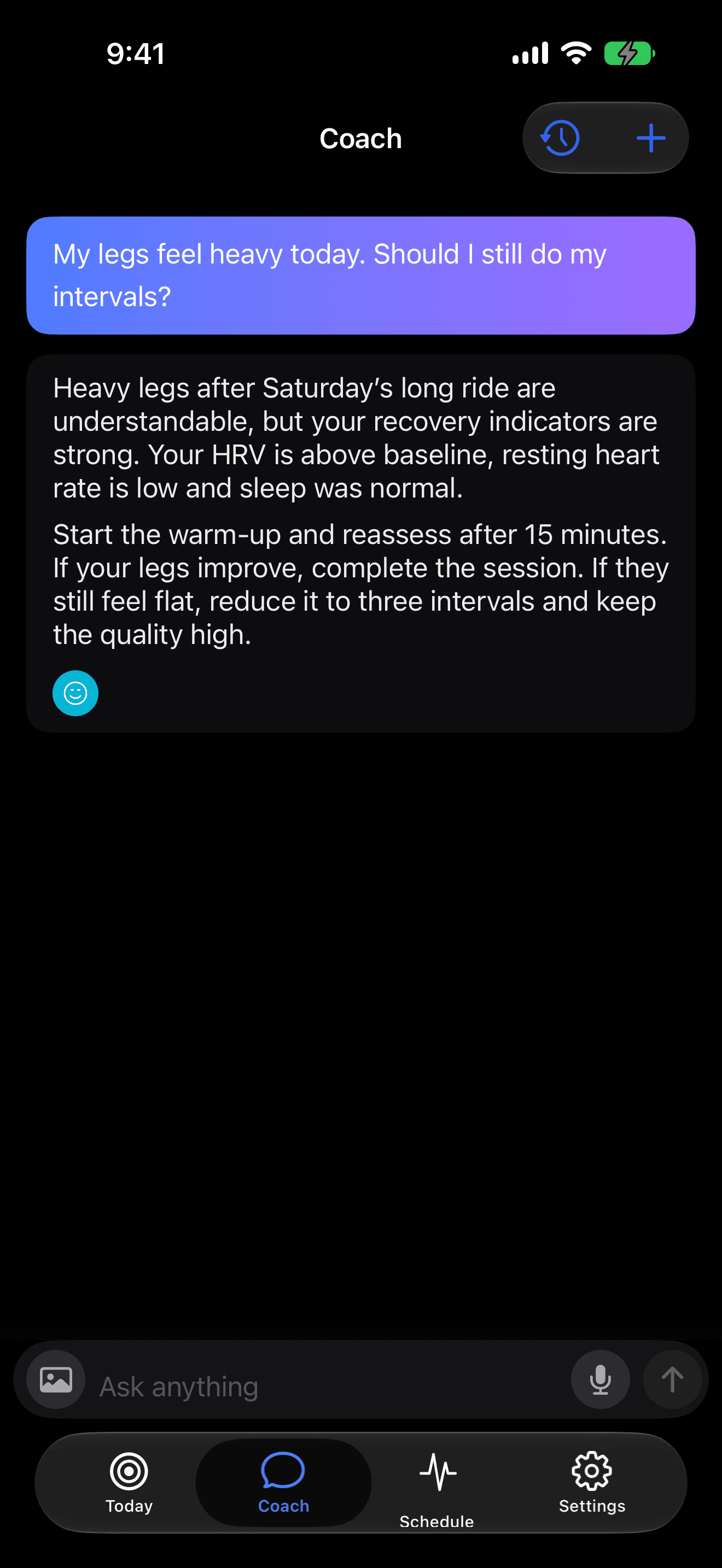
A heavy-legged morning deserves context. Talk through recent training, sleep and recovery signals with your coach, then decide how to approach the session.
Recovery is where fitness adaptation actually happens: training creates the stimulus, but recovery delivers the physiological supercompensation. Primed tracks the metrics that matter most—nocturnal HRV trends, resting heart rate, sleep duration and quality—paired with your subjective check-in. It also connects with supported nutrition sources like FatSecret, because replenishing glycogen and meeting protein needs are essential to preparing for tomorrow’s workout.
- Recovery alongside your recent training
- Room for what the numbers cannot tell you
- A useful explanation for an easier day
- Sleep quality and nutrition context in your coaching
04 — Adapt
Keep a direction.
Leave room for life.
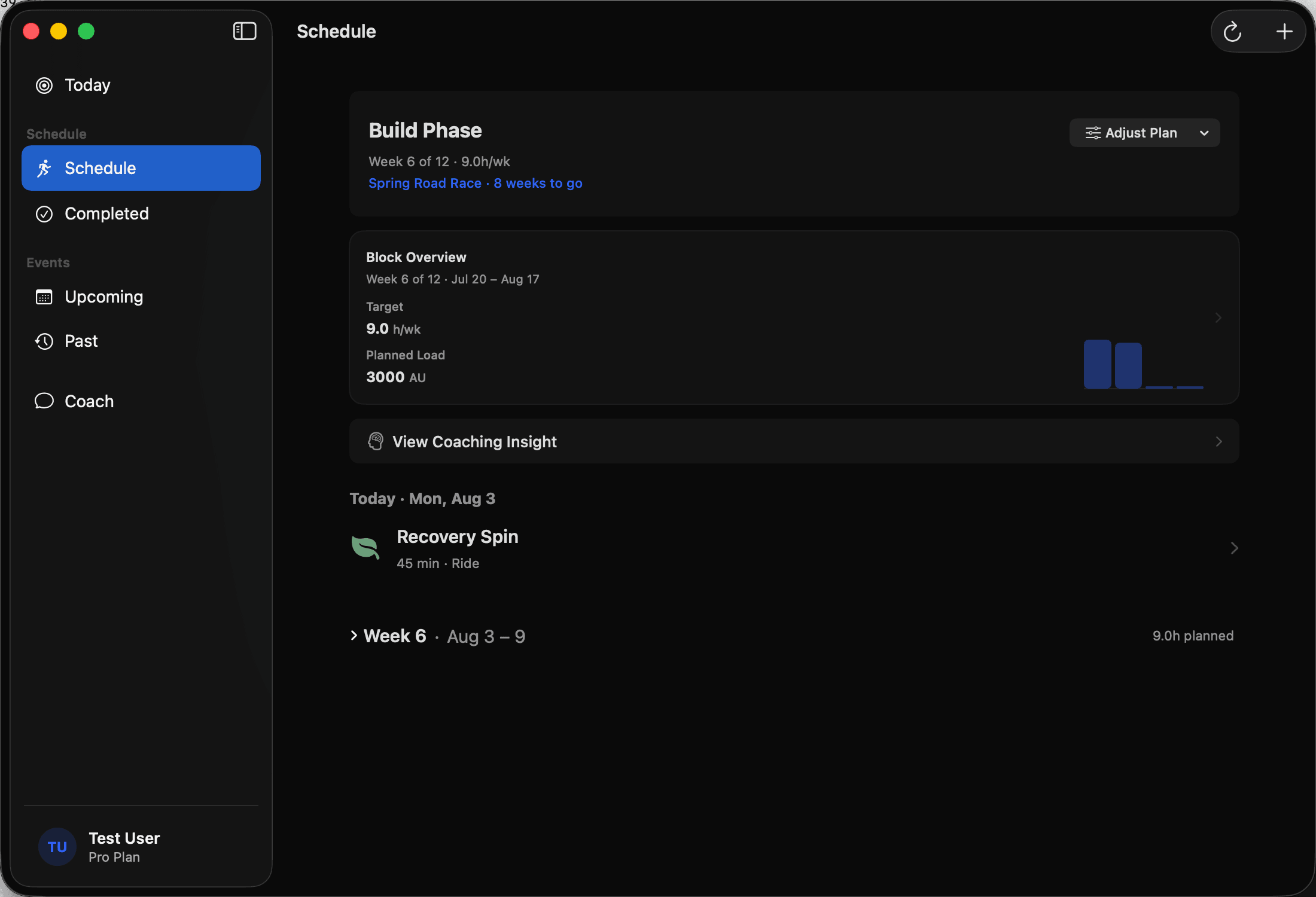
Your schedule gives the week a shape. When time, goals or circumstances change, bring that change to your coach and work through what comes next.
When work, family or travel disrupts your routine, a rigid calendar breaks. For busy athletes with limited time, Primed preserves the underlying purpose of your training block: if you only have 45 minutes instead of 90, the coach adapts the session’s structure rather than abandoning the day. You can mirror planned and adapted workouts directly to your Intervals.icu calendar, export structured cycling and running workouts to Zwift (.zwo) with exact power targets and timed cues, ask Siri or your favourite AI assistant via the Primed MCP Server about your session, and trust that every adjustment syncs across iPhone, Mac, and web without split-brain divergence.
- Structured sessions within an adaptive training block
- Automatic planned workout sync to Intervals.icu & one-tap Zwift (.zwo) export
- Hands-free Siri queries, Apple Shortcuts, and OAuth 2.1 Primed MCP Server access
- Zero split-brain continuity across iPhone, iPad, Mac, and web
YOUR NEXT CHAPTER
Your next session.
A clearer direction.
Start with your next session. Build a clearer view as you go.
Start free. Pro adds longer-term memory and coaching insights. Compare the plans.