How to use Apple Watch data with an AI endurance coach
When your plan says intervals but you feel flat, here’s how to bring Apple Watch data into the decision and see what the coach used.

Say you wore your Apple Watch for yesterday’s long ride. This morning you feel flat, but the plan says intervals. You could spend ten minutes looking through workout, sleep and heart-rate charts, or you could start with the question that matters: Do I have a good reason to change today’s session? An AI coach can help bring those pieces together if it can see relevant data and tells you what’s missing.
Key takeaways
- Record normally with Apple Watch.
- Share only the Health categories you want.
- Apple Intelligence chooses what Today highlights.
Record as usual and check what reached Apple Health
Start the appropriate workout on your Apple Watch. On a ride, Apple Watch can display power from a compatible Bluetooth power meter, and a cycling workout started on the Watch can appear as a Live Activity on your iPhone. Those are Apple Workout features. You don’t have to run Primed during the ride to ask about the workout afterwards.
On your iPhone, open Fitness or Health and check that the workout arrived. If you want sleep or HRV to be part of the conversation, look for recent readings. If you use both a bike computer and Apple Watch, check which source recorded each metric, particularly if the same ride appears twice.
Share the data you want the coach to use
On your iPhone, connect Apple Health in Primed (Settings → Connections) and review each category in Apple’s permission sheet. Primed can use supported workouts, heart-rate data, sleep and HRV that you choose to share. You can revisit those permissions in Health. See Primed’s integration guide for the data the app can use.
Ask Coach what it can actually see before leaning on a recommendation. A missing HRV measurement isn’t a low HRV measurement. If you didn’t wear the Watch overnight, say how you slept rather than waiting for a number that isn’t there.
Talk through a change to your training
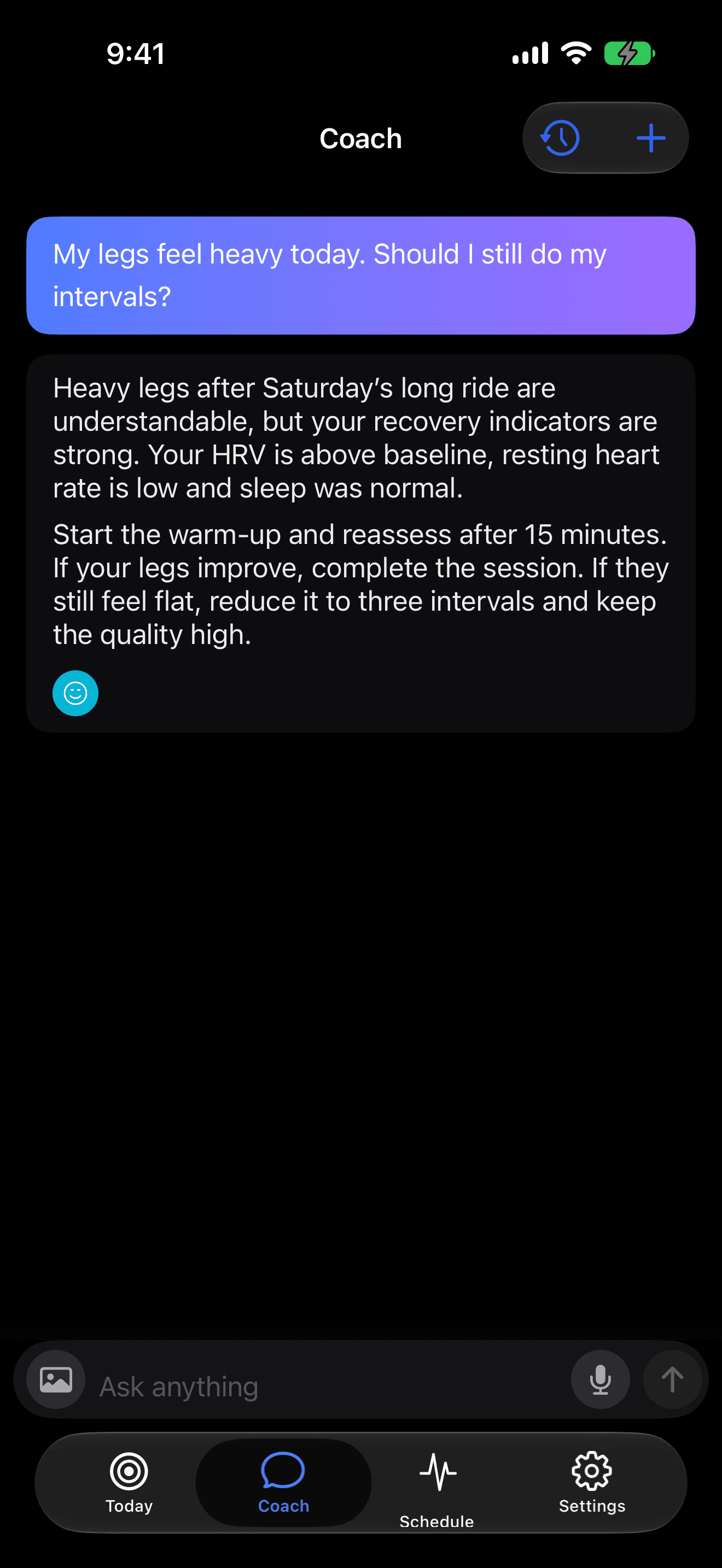
Give the coach a decision, a constraint and something you know about how the session felt. For example (illustrative prompt):
Look at yesterday’s endurance ride and the last few nights of sleep if they’re available. My legs feel heavier than usual and I have 45 minutes today. Would you keep the planned hard session, shorten it, or ride easy? Tell me which data you used and what you don’t know.
If the coach suggests an easier ride, ask what would make it reconsider tomorrow. If it’s mainly relying on how you feel because the data is sparse, it should say so. That’s more useful than a confident answer that treats a single night or a missing reading as decisive.
What Apple Intelligence changes as of November 2026
At WWDC26, Apple expanded its Foundation Models framework, which gives developers access to the on-device model behind Apple Intelligence and supports a broader range of model integrations. One useful application is deciding what deserves space on the screen when there’s more data than anyone wants to read before a ride.
On supported devices, Primed uses Apple Intelligence to select which charts and metrics appear first on Today. For example, instead of hunting through a dashboard, you can start with the data Today highlights and ask Coach whether it should change the session. Those are separate steps: Today highlights information without modifying your plan; the Coach conversation helps you work through the decision. Personalised coaching can use cloud AI under your data-sharing settings. See Primed’s privacy policy for details.
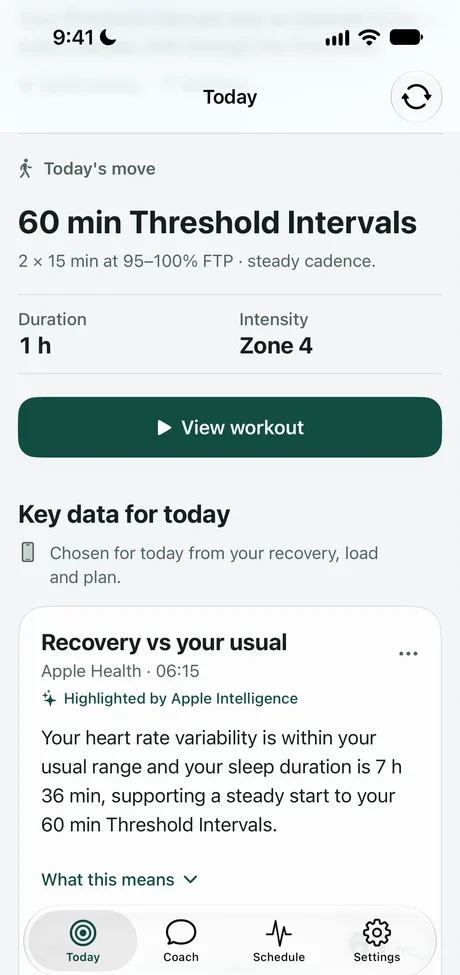
Primed Today on iPhone using on-device Apple Intelligence to highlight Apple Health recovery signals above your scheduled workout. Today selects what to show first without altering your plan; Coach handles the conversation when you want to adjust a session. Watch the 45-second Apple Intelligence demo.
Try Primed Coach with a workout you remember well. It’s easier to judge the advice when you already know where the numbers tell the story and where they leave something out.